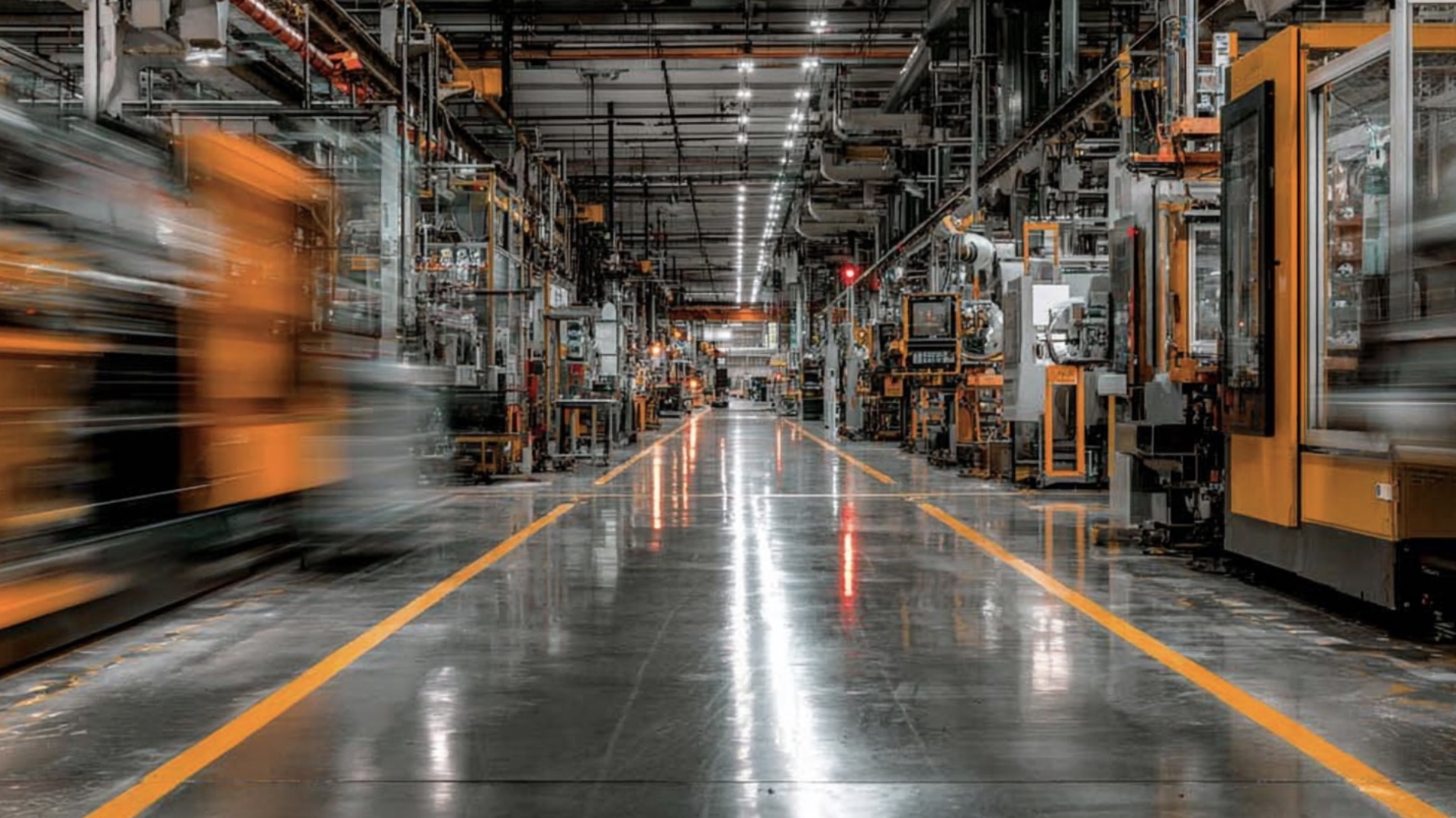
If you’ve ever wandered onto a factory floor and glanced at all the moving parts, you might think to yourself that choosing an ERP that can handle all of that can seem like the most daunting of tasks. But how important is choosing an ERP? Those with smart business acumen will probably come to the conclusion that setting up an Enterprise Resource Planner or ERP is absolutely essential, and choosing the right ERP over the wrong ERP can make or break a business or career.
Here at Method, we’ve been on the side of QuickBooks-based businesses since 2010. Method is the CRM of choice for manufacturers, and our two-way QuickBooks sync, flexibility, customizability, and front-to-back automation are revolutionizing what it means to leverage technology in the production process. In this guide, we’ll tell you everything you need to know about ERP, what you need to be worrying about, and how smart CRM can be a huge boon in developing a solid ERP.
Why small manufacturers need more than spreadsheets & accounting
Everyone loves a spreadsheet; until they don’t. Many small manufacturing businesses start with the following combination: QuickBooks for accounting, Excel for inventory, and email for production tracking. For most businesses starting out, this setup works; it’s simple, and most people are familiar with the aforementioned popular programs. That being said, most manufacturers will be interested in scaling and scaling as quickly as possible. And that’s where the initial setup doesn’t work. As orders grow and the business starts to scale, cracks start to show.
💡 Common pain points for production include:
- Inventory discrepancies between purchase orders, WIP, and finished goods.
- Manual work orders and scheduling delays on the shop floor.
- Disconnected systems for procurement, accounting, and CRM.
- No real-time visibility into production costs or lead times.
- Limited forecasting or demand planning capability.
Without centralized data and a straightforward communication process, teams can spend hours reconciling numbers, looking for info, and doing the same mundane things over and over again. This is where ERP systems become so important, they unify accounting, production, inventory, supply chain, and CRM data..
Below is a comparison of different types of ERP; Manual, Full, and Hybrid.
| Process | Manual (Spreadsheets) | Full ERP | Method + QuickBooks |
|---|---|---|---|
| Data entry | Manual, error-prone | Fully automated | Auto-sync between CRM & accounting |
| Inventory | Periodic updates; poor visibility | Real-time tracking | Real-time sync & reorder alerts |
| Scheduling | Managed in Excel | Optimized job routing | Automated workflows with flexibility |
| Procurement | Email-based tracking | Vendor portals & automation | Linked POs & vendor lists |
| Reporting | Manual compilation | Live dashboards | Custom, automated reports |
| Implementation | Simple but manual-heavy | Complex, high setup cost | Quick to deploy & easy to learn |
Full ERPs feature deep automation, but are pricy and don’t really fit small teams well. They are also rigid and can be incorrect because of the lack of manual input, ie, “too much automation.” Method + QuickBooks strikes a bit of a better balance, with ERP visibility at a much lower cost, and more malleable. That’s exactly what our NetSuite vs QuickBooks analysis demonstrates, by bridging the gap between simplicity and full ERP power.
What is a manufacturing ERP?
A manufacturing ERP (enterprise resource planning) is a software system that connects every single facet of the manufacturing and production process. For smaller manufacturers, they offer a bird’s-eye view into the operations of a business that spreadsheets don’t offer. This includes everything from the sourcing of raw materials to the actual finished good. ERP integrates accounting, procurement, production, inventory, and every other data point in the manufacturing and production process. A good manufacturing ERP can effectively help manage the entire operations of the business, or at least a signifcant portion of it.
Key ERP modules for manufacturing
Below are the core components every manufacturing ERP system should include. These modules act as the operational backbone of your business, connecting your shop floor, supply chain, and financials in one ecosystem.
| Module | Primary Function | Why It Matters |
|---|---|---|
| Inventory Management | Can track raw materials, work-in-process, and finished goods. | Minimizes stockouts and excess inventory to optimize cash flow. |
| Production Planning | Schedules jobs, allocates resources, and tracks progress on the shop floor. | Improves throughput and ensures on-time delivery. |
| Procurement | Manages supplier purchase orders and incoming materials. | Reduces supply chain disruptions and improves vendor visibility. |
| Shop Floor Control | Monitors labor, machine utilization, and job status in real time. | Boosts productivity and traceability across operations. |
| CRM | Coordinates customer relationships, sales orders, and communications. | Strengthens service quality and client retention. |
| Financials | Oversees accounting, payroll, and cost reporting. | Ensures accurate tracking of expenses and profitability. |
On-premise vs cloud ERP
On-premise vs. cloud ERPs can be defined by their names; one is in the cloud, the other is in your office.
Installed locally, managed in-house.
✅ Total control and security.
⚠️ Large upfront cost and IT overhead.
Hosted online, accessible anywhere.
✅ Automatic updates, cheaper
⚠️ Requires a solid and reliable internet connection.
Combines cloud and local deployment.
✅ Balanced flexibility and control.
⚠️ Ever so slightly more complex to manage.
The hybrid approach is the go-to option for small manufacturers because it allows them to scale while taking advantage of the flexibility, which is very important during the growth phase. Say you are a candle manufacturer, and due to tariffs put on Southeast Asian suppliers, your business starts to skyrocket. You don’t have the time or the will to set up a whole other accounting department, or pay and install a full-service ERP system. Furthermore, you want to know that your CRM is malleable enough to tackle changes in the supply chain. That candle manufacturer would be more than interested in the Method CRM + QuickBooks option, as it allows him to scale with trust.
Key functionality to look for in an ERP for small manufacturing companies
Are all ERPs the same? Clearly not, and this is where it becomes important to pay attention. Many ERPs will be marketed towards all companies, and might not have the right tools and features that are important to manufacturers, particularly small ones. Below, we break down the core functions that make the biggest difference for small and medium-sized manufacturers.
Inventory management & real-time visibility
You manufacture to create a product, and that product, when finished, becomes inventory. You need to know what materials are available, what’s being used, and what’s ready to ship. ERP systems bring all of this into one live dashboard, giving you visibility across warehouses, production lines, as well as supply chains in real time.
Even small delays in updates can distort decisions. Let’s use the candle manufacturer again. Let’s say wax levels in the warehouse drop faster than expected after a large order, but the spreadsheet still shows plenty on hand. By the time someone actually notices the shortage, production slows and delivery timelines slip. Meanwhile, cash sits in overstocked scents no one needs this week. Real-time tracking instead helps small manufacturers maintain flow and total visibility.
Why real-time visibility matters:
Raw materials: It can prevent shortages that delay production.
Work-in-progress (WIP): It tracks progress through every stage to identify bottlenecks early.
Finished goods: It syncs inventory with sales and shipping for faster fulfillment.
Integration: Real-time data links inventory with procurement and production planning to align operations
Pro tip: Pairing inventory modules with automated procurement rules can cut stockouts by up to 30% and improve on-time delivery rates without adding staff.
Here at Method, we are all about the data. Industry data shows that manufacturers relying on manual spreadsheets average only about 65% inventory accuracy, while those adopting real-time ERP systems achieve up to 90% accuracy.
Production planning, scheduling & shop floor workflows
Bottlenecks are part of the production process and are inevitable. However, production schedules that live on spreadsheets are begging for bottlenecks. ERP systems bring structure to this chaos by automating job routing, work orders, and shop-floor reporting, giving managers a real-time view of what’s happening at every station.
Creates digital job tickets linked to materials and labor.
→ Reduces errors and wasted time.
Matches workforce and machine hours to production demand.
→ Improves on-time delivery.
Records inspections, rejects, and shop-floor data automatically.
→ Ensures traceability and reduces rework.
Connecting these workflows correctly and automating them can increase efficiency tenfold. For example, if a work order triggers an automatic material request or a quality flag updating a batch status, production managers can see bottlenecks as they form. This allows them to avoid playing “catch-up” and aggressively fix the potential problem before it even arises. This results in a decline in stoppages and a better overall workflow.
Supply chain management & procurement
Supply chain management is a pain, and in the current geopolitical environment, it might even be worse than the late 19th century. Small manufacturers with no political ties face even greater uncertainty than those that get exceptions granted from the government. ERP tools consolidate supplier data and automate purchasing.
Procurement automation example: ERP vs. Manual
| Scenario | Manual Process | ERP Process |
|---|---|---|
| Purchase Orders | Created manually and emailed | Auto-generated from low inventory alerts |
| Supplier Updates | Tracked in email threads | Centralized supplier portal |
| Receiving | Manual entry into spreadsheets | Barcode scanning linked to inventory |
CRM integration & customer-facing workflows
ERP systems with built-in CRMs are key. A strong CRM keeps every quote, order, and customer conversation in one place so sales, production, and service stay aligned. For example, a rep can open a CRM, see live inventory from the shop floor, confirm a realistic ship date, and send an accurate quote in minutes instead of waiting on emails.
Connecting CRM with production and inventory lets teams confirm lead times, track fulfillment, and coordinate service faster, reducing errors and improving customer satisfaction. For smaller manufacturers, Method CRM + QuickBooks delivers the same coordination and visibility as ERP systems, at a fraction of the cost and complexity.
Why it matters:
- Streamlined quoting and order approvals — gives visibility into stock and production schedules.
- Centralized view of customer history — enables faster response times and more accurate forecasting.
- Automated invoicing and follow-up reminders — keeps cash flow consistent and customers engaged.
- Customer portals and repair/service tracking — improve after-sales support and retention.
- Real-time sales and inventory sync via Method — makes sure every quote, order, and shipment stays aligned.
Automation, reporting & decision-making
Automation is where everything is heading, and it’s important to jump on board now before your competitors jump on it first. In manufacturing, a good ERP can automate a lot. Workflow rules replace manual approvals, recurring tasks, and email follow-ups, saving hours each week and reducing costly data entry errors. Alerts and triggers will keep teams proactive. They can do things like notify managers when materials run low, to auto-approving recurring supplier orders within budget limits.
This immediacy improves decisions across purchasing, scheduling, and cash flow management. Modern ERP systems (and good and flexible alternatives like Method + QuickBooks) also support scalability and customization. You can start with essential modules, such as inventory, production, and accounting, then add advanced analytics or quality control later, and you don’t have to rebuild your entire tech stack.
Companies that implement end-to-end workflow automation see up to a 40% drop in manual admin time and a 25% faster response to production issues.
Evaluating ERP solutions for small manufacturers
So, which ERP solution is right for you? That depends on your own problems that need solving and your own bottlenecks. Furthermore, it can’t be overstated how overbuying software can slow down adoption and stretch your budget, especially when there are lighter, leaner options readily available.
You should start your evaluation off with a simple checklist:
Evaluation checklist:
| Criteria | Questions to Ask | Why It’s Important |
|---|---|---|
| Functionality | Which modules solve your biggest bottlenecks? | Prevents paying for unnecessary features. |
| Integration | Does it connect with QuickBooks or your CRM? | Ensures data consistency across systems. |
| Ease of Use | Can your shop floor team adopt it easily? | Drives faster ROI through adoption. |
| Scalability | Will it grow with your production and staff needs? | Future-proofs your investment. |
| Support & Customization | Does the vendor assist with training or tailored workflows? | Improves long-term success and usability. |
Pricing and complexity
ERP pricing can vary dramatically depending on system type, number of users, and deployment model.
| Type | Typical Cost Range | Deployment Complexity |
|---|---|---|
| Full ERP (e.g., NetSuite, SAP) | $30,000–$150,000+ annually | High — requires consultants and IT resources |
| Cloud ERP (e.g., Acumatica, MRPeasy) | $50–$200 per user/month | Medium — easier rollout, subscription-based |
| Lightweight/Hybrid (Method + QuickBooks) | $25–$60 per user/month | Low — fast deployment, minimal training |
Implementation readiness
Before you commit, you need to clean up your data and processes so you can actually implement an ERP system and implement it the right way. Make sure you follow the checklist below:
Readiness checklist:
- ✅ Clean and consistent data across spreadsheets and accounting.
- ✅ Defined workflows and clear approval structures.
- ✅ Management and shop floor buy-in for new systems.
- ✅ Dedicated time for staff training and testing.
- ✅ Budget for ongoing maintenance or cloud subscription fees.
Prioritizing modules
You don’t need to go full buffet all the features at once; start with the must-haves. Most smaller and medium-sized manufacturers will start with inventory, production, and accounting; then move on to supply chain and analytics.
Pro tip: Small manufacturers that stagger implementation by module see 35% faster adoption and significantly lower setup costs.
Top ERP systems & lightweight alternatives for small manufacturers
Full ERP systems
Full ERP systems string together every aspect of manufacturing and from supply chain and accounting to production planning and reporting. They are “Oracle or SAP Level” enterprise systems that try to automate as much as is feasible. The systems are extremely powerful, but can be cumbersome, and can take a while to implement correctly. Below are some of the largest full ERP platforms.
NetSuite ERP
NetSuite is built for manufacturers that are growing fast and need strong scheduling, finance, and global tools. It scales well and can be shaped to fit complex operations, though it can be a pain for smaller teams often find it heavier than they need. Again, full ERPs can seem massive.
SAP Business One
SAP Business One is a good fit for mid-sized companies that want inventory, finance, and purchasing all tied together. It’s steady and data-rich, but most teams rely on outside help to get it up and running.
Microsoft Dynamics 365 Business Central
This is great for companies already living in the Microsoft ecosystem. It links sales and production in one view, though setup can sometimes take forever and sometimes needs extra plugins.
Acumatica Cloud ERP
Most reading this will not have heard of Acumatia, but it’s gaining ground. It’s a cloud-first option that works well for small and mid-sized manufacturers. It offers solid manufacturing modules and flexible pricing, with quicker setup than older ERP systems. However, it can be difficult to use, and training is required.
DELMIAWorks (formerly IQMS)
DELMIAWorks is a strong choice for process manufacturers that need deep shop-floor and quality tracking. It handles traceability well but tends to fit teams with some in-house IT support.
Infor CloudSuite Industrial (SyteLine)
This is for more complex operations that need MES tools, forecasting, and multi-site planning. It’s powerful for long-range production needs but can feela bit oversized for simpler operations.
Lightweight alternatives:
| System | Highlights | Pricing | Ideal For |
|---|---|---|---|
| Katana MRP | Live inventory, production scheduling, QuickBooks sync | From $129/month | Small batch manufacturers |
| MRPeasy | Affordable, includes MRP + CRM | From $49/month | 5–200 users |
| JobBOSS² | Custom manufacturers/job shops | Quote-based | Made-to-order shops |
| Cetec ERP | Web-native, strong quality control | $40/user/month | SMBs needing traceability |
| Method CRM + QuickBooks | Two-way QuickBooks sync, customizable CRM, workflow automation | From $28/user/month | Manufacturers transitioning from spreadsheets |
For many small manufacturers, Method CRM + QuickBooks delivers ERP-level functionality, including two-way data sync, automated inventory and order management, and customizable CRM workflows, without the complexity or cost of a full ERP rollout.
Implementation tips & best practices
Implementation is where many small manufacturers stumble, not because the system is wrong, but because the rollout tries to do too much at once. The key is starting small, focusing on your biggest workflow pain points, and layering in complexity as your team grows more comfortable. Clear planning and early team involvement make all the difference between a smooth transition and months of frustration.
Best practices for ERP implementation:
- Start with core modules —look at inventory, procurement, and workflows. Add production scheduling and CRM later as your needs evolve.
- Define workflows early — identify bottlenecks before migration so your ERP is designed around real processes.
- Clean up your data — remove duplicates, standardize item codes, and verify supplier details before import.
- Engage your team early — include shop floor staff in testing and feedback to ensure buy-in and usability.
- Train gradually — designate “ERP champions” to support peers and build internal expertise.
- Avoid over-customization — feature creep is the enemy of fast deployment and user adoption.
- Track KPIs post-launch — measure inventory accuracy, lead times, production efficiency, and on-time shipments.
- Plan for upgrades — maintain contact with your vendor, schedule regular updates, and ensure scalability for future growth.
Pricing scenarios & ROI considerations
ERP systems vary widely in cost depending on the size of your operation, the number of users, and the implementation scope. The difference between a full enterprise ERP and a hybrid system like Method + QuickBooks often comes down to how much complexity you actually need, and how fast you can see returns.
| Scenario | Users | System | Monthly Cost | Implementation Time | Example ROI Timeline |
|---|---|---|---|---|---|
| Full ERP (SAP/NetSuite) | 25 | Enterprise ERP | $3,000+ | 9 months | 18–24 months |
| Mid-tier (Acumatica/MRPeasy) | 15 | Cloud ERP | $1,000 | 4 months | 12–18 months |
| Lean system (Method + QuickBooks) | 10 | CRM + Accounting | $280 | 1 month | 6–9 months |
Smaller manufacturers that adopt lightweight systems like Method + QuickBooks often realize ROI faster, primarily from reduced manual data entry, quicker quoting, and fewer stockouts. Improved visibility across accounting and production also leads to better inventory turns and stronger cash flow management.
Cost drivers to factor in:
- Number of users — subscription or license-based pricing scales with team size.
- Modules required — adding MRP, CRM, or supply chain functions increases cost.
- Data migration — cleaning and importing historical data takes time and labor.
- Training and support — essential for adoption and long-term efficiency.
- Customization — complex workflows or integrations increase upfront cost.
- Hardware/infrastructure — applies mainly to on-premise systems.
- Upgrades and maintenance — ongoing vendor costs or cloud renewals.
Example: Candle manufacturer goes hybrid ERP and wins
Let’s take a mid-sized cancle manufacturer that implements a hybrid ERP like Method’s. Once they improved turns and cut stockouts, as well as trimming some of the manual entry, they saw some gains.
| Improvement Area | Baseline | After ERP | Annual Impact |
|---|---|---|---|
| Inventory turns | 4 | 6 | 18000 |
| Stockouts | 150000 | 60000 | 90000 |
| Manual data entry | 20 | 8 | 31200 |
| Quoting speed | 48 | 12 | 100000 |
| Customer service | 5 | 3.5 | 75000 |
Total Annual Impact: $ 314,200
Start lean and expand gradually is the moral of the story when it comes to business and costs. This is why Method and QuickBooks are so unparalleled. All the ERP bells and whistles + geared towards manufacturing + fully customizable + a fraction of the cost = a win-win for your business.
Bottom line: A good ERP is life or death for manufacturers
Let’s face it, we all need some sort of help managing a business, and a good ERP can offer that help and more. A good ERP can help every facet of the production process, from raw materials to inventory, operate at peak efficiency. So, one thing that is obvious from reading this article is that if you are in manufacturing and you aren’t utilizing an ERP, that needs to happen ASAP. Method’s CRM should be your first choice as it has all the bells and whistles of a fully automated ERP, with the flexibility needed for a small or medium-sized manufacturer.
FAQ
What’s the difference between manufacturing ERP and general ERP?
General ERP is effectively ERP for any business on planet earth. Manufacturing ERP that is geared towards the manufacturing industry, and should focus on providing features that are applicable to manufacturers. Manufacturing ERP tracks things like BOM and production planning that general ERPs will not have.
Can QuickBooks handle manufacturing needs?
QuickBooks along all by itself, can help, of course, but only to a point. QuickBooks handles financials super well, but doesn’t deal with production and the complexity of inventory. By pairing it with Method CRM, you can handle every single aspect of the manufacturing process to the minute detail.
When should a small manufacturing company move from spreadsheets to ERP?
It’s all about scalability. When order volume increases, errors can increase, and it’s time to move to a full ERP, or more of a lean system
Leave a Reply